
Requests for changing a team's captain occurs often for many different reasons. You will run into situations where the former captain may have become injured, had a sudden life altering incident, no longer has time to handle captain duties, or was a company employee setting up a team, etc. Keeping the team captain up-to-date keeps your communication and marketing up to date and will save you in the long run.
Step 1. Navigate to the team requesting a captain change, or in the case of an Indy team, assigning the captain. Double check to make sure that it is the correct team in the correct league. Many times teams will have the same name season to season so you will want to make sure that you are making changes in the correct season.
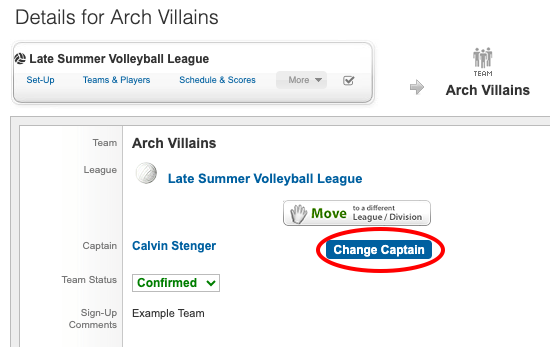
Step 2. Once on the team page, the captain will be listed underneath the league listing. Select "Change Captain" or "Add Captain" in the case of an Indy team.
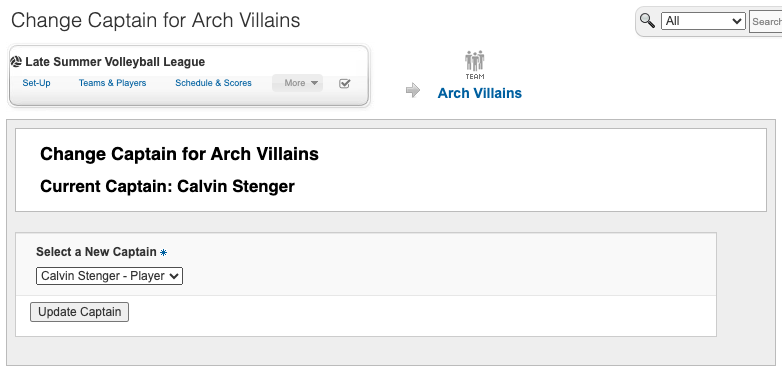
Step 3. Select the player that will be taking over the captain position from the drop-down and select "Update Captain".
Once the captain change is completed, make sure to communicate with the former and current team captain of the changes.